
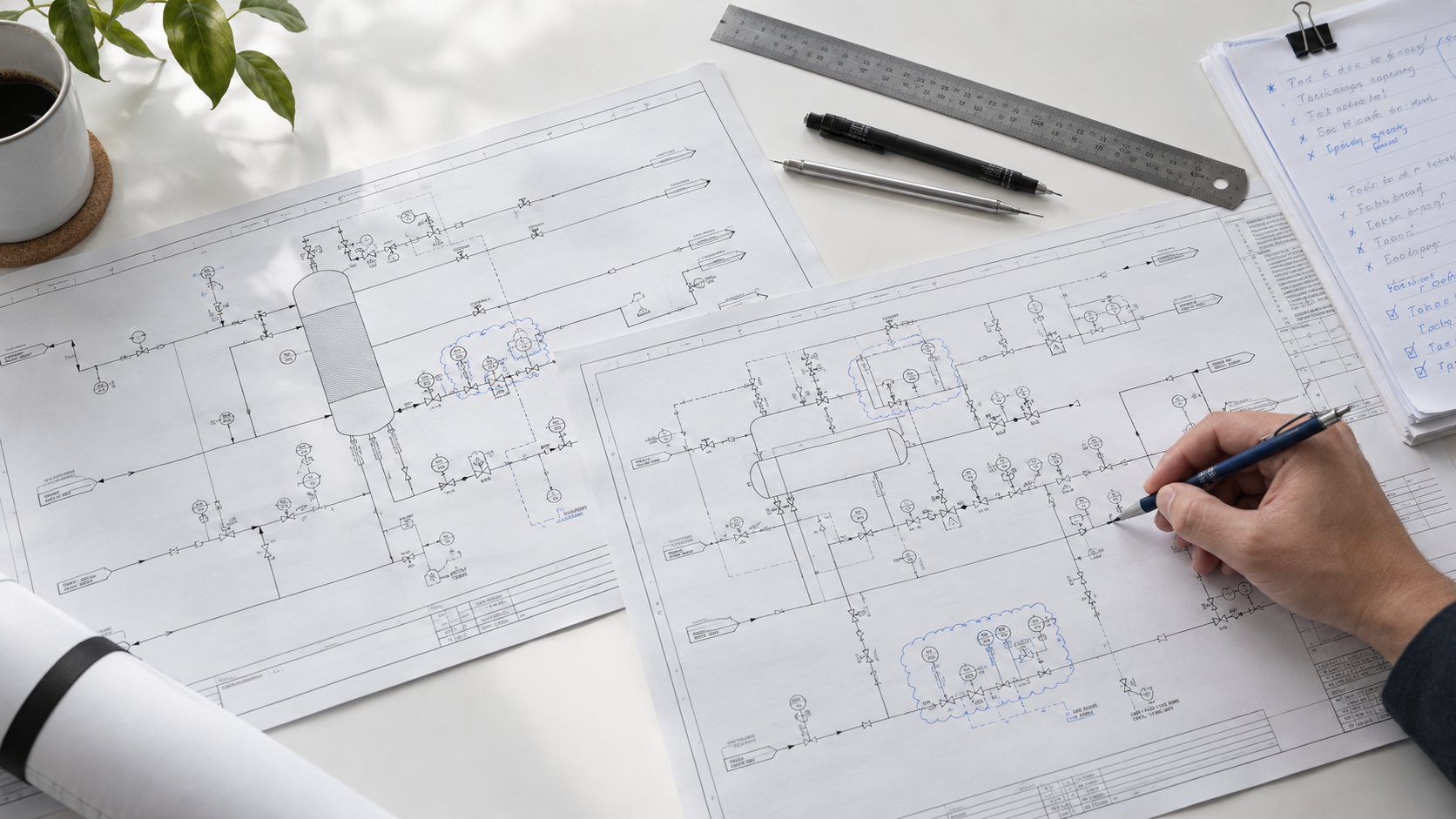
A P&ID error found during design may take minutes to fix. The same error found during construction or commissioning can delay work, trigger an engineering change, or force the team to replace equipment that has already been ordered.
For example, a control valve may be shown with the wrong fail position. The error is copied into the valve datasheet, missed during later reviews, and discovered only when the loop is tested in the field. By then, the project team may need to revise several documents, change the wiring, modify the control logic, or delay startup.
That is why a structured P&ID review is important. This checklist covers 15 errors that regularly appear in piping and instrumentation diagrams, along with practical ways to find them before they affect construction or commissioning.
Why P&ID reviews are difficult
P&IDs contain a large amount of information on a small number of sheets. A single drawing may show equipment, process lines, valves, instruments, control loops, relief devices, drains, vents, utility connections, and off-page references.
Reviewers also need to compare the drawing with other project documents, including:
- Line lists
- Equipment datasheets
- Instrument indexes
- Valve schedules
- Cause-and-effect matrices
- Piping specifications
- Control philosophies
- Previous drawing revisions
The problem is not usually understanding one symbol or one line. The problem is checking whether all the related information agrees.
Manual review is also affected by fatigue. A reviewer may catch several mistakes at the start of a long session and miss similar issues later. The risk increases when multiple reviewers use different methods or when late design changes are made close to an issue date.
A good P&ID quality check combines engineering judgment with a repeatable process. The following checklist gives reviewers a practical starting point.
The P&ID review checklist
Line and piping errors
1. Missing or inconsistent line numbers
Every process and utility line should have a line number that is present, readable, and consistent across the drawing package.
Check that:
- The line number follows the project naming convention.
- The same number is used along the full route.
- The number matches the line list.
- Continuation lines do not receive a different number by mistake.
- Parallel lines have separate, correctly sequenced numbers.
- Line numbers are not hidden by symbols or notes.
A one-character error can cause problems in material takeoffs, piping specifications, stress analysis, isometrics, procurement, and construction.
2. Unmarked piping specification changes
A line may change specification at a battery limit, equipment connection, valve, or other defined location. The change should be clearly shown.
Reviewers should check for:
- A visible spec-break symbol
- The correct specification on each side of the break
- Consistency with the piping class documentation
- Changes in material, pressure rating, corrosion allowance, or lining
- Correct insulation and heat-tracing requirements
An undocumented spec break can result in the wrong material being purchased or installed.
3. Size mismatches at connections
Line sizes should agree across equipment nozzles, valves, reducers, branches, and off-page connections.
Check whether:
- The line size matches the equipment nozzle where required.
- Reducers are shown at size changes.
- Branch connections have the correct size.
- Valve sizes match the line and valve datasheet.
- Off-page connections carry the correct size information.
- Instrument connections use the specified tubing or pipe size.
Pay close attention to pumps, compressors, control valves, relief valves, and battery limits.
4. Incorrect flow direction or valve orientation
Flow arrows and directional components should agree with the process design.
Check:
- Flow arrows
- Check valve orientation
- Control valve direction
- Pump suction and discharge connections
- Compressor suction and discharge connections
- Valve orientation shown on the drawing
An incorrectly oriented valve or check valve may not be discovered until installation or commissioning.
Instrumentation errors
5. Inconsistent instrument tags
Instrument tags should be unique and consistent across the P&ID, instrument index, datasheet, and related drawings.
Check that each tag:
- Uses the correct project numbering convention.
- Appears in the instrument index.
- Matches the instrument datasheet.
- Is not duplicated elsewhere.
- Retains the same number through revisions.
- Uses the correct letter designation.
Typical errors include swapped digits, inconsistent suffixes, and differences between the tag bubble and the instrument index.
6. Incomplete instrument loops
A loop should show the relationship between the measurement, transmitter, controller, final control element, and relevant signals.
Look for:
- Transmitters without a related controller
- Controllers without a final control element
- Control valves without a clear signal or loop reference
- Missing local indicators
- Incomplete signal lines
- Unclear connections between field instruments and the control system
Not every loop will contain every element. If a loop is intentionally different, the drawing and project documentation should make that clear.
7. Incorrect control valve fail position
The fail position of a control valve should agree with the process safety requirements, control philosophy, valve datasheet, and cause-and-effect matrix.
Confirm whether the valve is intended to:
- Fail open
- Fail closed
- Fail in place
- Move to another defined position
Then check whether the selected position makes sense for the service. A cooling-water valve may need to fail open, while a fuel-gas valve may need to fail closed.
A mismatch between the P&ID and the valve datasheet can remain hidden until a functional test or emergency shutdown test.
8. Incorrect signal or connection type
The signal shown for an instrument should match the project control system.
Check for consistency between the drawing and the control architecture for:
- Pneumatic signals
- Electrical signals
- Digital communication
- Hydraulic connections
- Capillary connections
- Hardwired trips
- Software-based control signals
The line style and instrument symbol should also match the project legend. A connection can look correct while representing the wrong signal type.
Safety and operability errors
9. Missing relief valve information
Relief devices need enough information for reviewers to understand their purpose, set pressure, and discharge path.
Check:
- Relief valve tag
- Set pressure
- Design pressure
- Discharge destination
- Flare or relief-header connection
- Block valve arrangement
- Car-seal requirements
- Thermal relief protection
- Datasheet or calculation reference
The P&ID does not need to contain every sizing calculation, but it should identify the relief function and point to the documents that contain the supporting details.
10. Missing isolation around equipment and safety devices
Equipment and instruments may need isolation for maintenance, testing, or safe operation. The required valves should be shown in the correct locations.
Review isolation arrangements around:
- Pumps and compressors
- Control valves
- Instruments
- Filters and strainers
- Heat exchangers
- Relief valves
- Drains and vents
- Equipment that needs maintenance without shutting down the entire plant
Do not assume that a nearby valve provides adequate isolation. Confirm that its location, rating, and normal position support the intended maintenance activity.
11. Missing interlocks and shutdown functions
The P&ID should agree with the control philosophy and cause-and-effect matrix.
Look for missing or incomplete references to:
- Emergency shutdowns
- High-high and low-low trips
- Equipment permissives
- Pump and compressor trips
- Burner management functions
- Level-based shutdowns
- Pressure interlocks
- Operator alarms
- Utility-failure responses
The P&ID is not a replacement for the cause-and-effect matrix. It should, however, show the relevant control functions and should not contradict them.
12. Missing or misplaced drains and vents
Drains and vents are easy to miss, particularly around complex equipment and piping arrangements.
Check whether they are:
- Located at the correct high and low points
- Connected to the right destination
- Properly rated
- Accessible for operation and maintenance
- Isolated where necessary
- Consistent with the process design
Also look for sample points, flushing connections, temporary vents, and low-point drains that will be needed during commissioning or maintenance.
Cross-document consistency errors
13. Differences between the P&ID and line list
Compare each relevant line on the P&ID with the line list.
Review:
- Line number
- Nominal size
- Piping specification
- Design pressure
- Design temperature
- Fluid service
- Insulation
- Heat tracing
- Test requirements
- Start and end points
Not every field belongs on both documents, but unexplained differences should be resolved before the drawing is issued.
14. Differences between the P&ID, instrument index, and equipment datasheets
The P&ID should agree with the instrument index, equipment list, and relevant datasheets.
Check:
- Equipment tags and names
- Nozzle references
- Instrument tags
- Valve tags
- Control functions
- Duty and standby arrangements
- Datasheet references
- Number and type of connections
This check is especially important after late changes. For example, a new instrument may be added to the P&ID but not the instrument index. An equipment change may update the datasheet but not the drawing.
Drafting and revision errors
15. Dangling connectors and unclear revisions
Drafting problems can make a technically correct drawing difficult to use.
Check for:
- Off-page connectors without matching references
- Lines that stop without a continuation symbol
- Revision changes that are not clearly identified
- Old revision clouds that were not removed
- Symbols that do not match the project legend
- Text placed over lines or symbols
- Missing notes or abbreviations
- Inconsistent line weights
- Unclear references to related documents
A reviewer should be able to trace every connection and understand what changed without guessing.
Manual versus automated P&ID review
Manual review is necessary because engineers must assess design intent, operability, safety, and unusual process conditions. It is also slow when reviewers have to compare large drawing packages by hand.
Automated review is useful for repeatable checks, such as finding duplicate tags, missing references, inconsistent line numbers, and differences between related documents.
| Review factor | Manual review | Automated review |
|---|---|---|
| Speed | Slower for large drawing packages | Fast for repeatable checks |
| Consistency | Varies by reviewer and workload | Applies the same rules each time |
| Best at finding | Design intent, safety concerns, unusual conditions | Tag, reference, data, and drafting inconsistencies |
| Cross-document checks | Time-consuming | Faster when source documents can be compared |
| Engineering judgment | Strong | Requires engineer confirmation |
| Revision comparison | Possible, but labor-intensive | Quick for identifying changed information |
| Best use | Final technical review and approval | First-pass screening and issue prioritization |
The practical approach is to use automation for repetitive checks and engineers for decisions that require context.
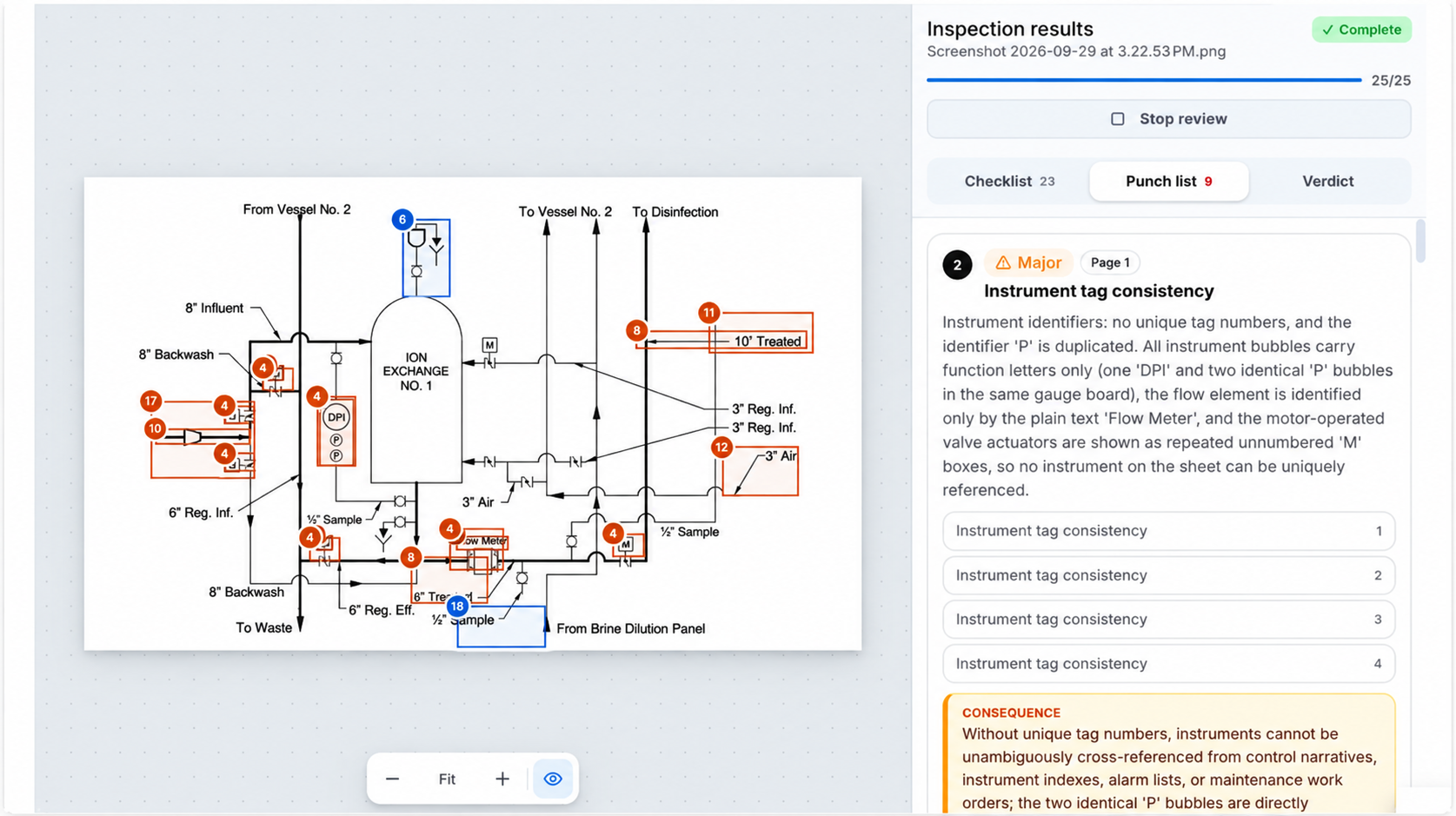
How Hera reviews P&IDs
Hera helps EPC and process engineering teams check P&IDs against related project information.
A typical review can include:
- Uploading the P&ID and relevant supporting documents.
- Reading the tags, line numbers, symbols, and connections shown in the drawing.
- Comparing the drawing with project rules and related documents.
- Identifying possible inconsistencies and missing references.
- Reviewing each finding and deciding whether it is a valid issue.
- Assigning confirmed issues for correction or follow-up.
For example, a reviewer may need to compare a control valve’s tag, fail position, line number, and datasheet reference across several documents. Hera can bring those possible mismatches into one review so the engineer does not have to find each one manually.
Download the P&ID review checklist
Use this checklist before:
- 30%, 60%, and 90% design reviews
- Issue for review
- Issue for construction
- Model reviews
- HAZOP preparation
- Procurement release
- Construction handover
- Pre-commissioning and commissioning
Download the P&ID Review Checklist (PDF)
If your team reviews large drawing packages, Hera can help find repetitive consistency issues earlier in the process.
Frequently asked questions
Who reviews P&IDs?
P&IDs are usually reviewed by process, piping, instrumentation and controls, mechanical, operations, and safety engineers. The review team depends on the project phase and the systems shown on the drawing.
How long does a P&ID review take?
The time depends on the number of drawings, the complexity of the process, the quality of the source documents, and the scope of the review. A simple drawing may take less than an hour. A large package may require several review sessions. Automated checks can reduce the time spent comparing tags, line numbers, and related documents.
What standards apply to P&IDs?
The applicable standards depend on the project, owner, industry, and jurisdiction. ISA-5.1 is commonly used for instrumentation symbols and identification. Other standards may apply to process equipment, piping, safety systems, and document control.
The project’s approved design basis, engineering procedures, and drawing legend should take precedence when they differ from general conventions.
What is the difference between a P&ID review and a P&ID quality check?
A P&ID review considers whether the process and control design are safe, operable, maintainable, and constructible. A P&ID quality check usually focuses on document completeness, tagging, drafting, cross-document consistency, and compliance with project rules.
In practice, both checks are needed before a drawing is issued.